
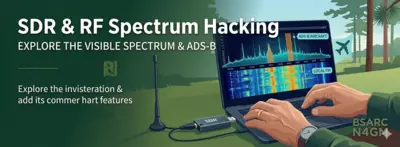
Software Defined Radio (SDR) & RF Spectrum Hacking
Welcome to the cutting edge of modern radio frequency exploration. You no longer need thousands of dollars in specialized benchtop hardware to analyze the airwaves. With a basic computer and a budget-friendly USB Software Defined Radio (SDR) dongle, you can transform your desk into an advanced, real-time spectrum analyzer and digital decoder framework.
For computer programmers, cybersecurity professionals, and tech hobbyists, SDR is the ultimate bridge between hardware and software. It allows you to legally and safely listen to, visualize, and reverse-engineer signals passing through your local RF environment.
📡 The SDR Spectrum: From Budget Gateways to High-End Rigs
When entering the world of Software Defined Radio, it is important to realize that you get exactly what you pay for. There are several SDR radios on the market today. The absolute least expensive, most accessible way to get your feet wet is the standard RTL-SDR ecosystem. It is a fantastic entry point, but it represents the baseline of the technology.
If you catch the RF bug, there are significantly more advanced, feature-rich, and high-dynamic-range options available—but they come at a much higher cost.
1. The Entry-Level Gateway: RTL-SDR Blog V4 (~$35)
This is the gold standard for beginners. It uses a modified television tuner chip to receive signals across a wide range of the spectrum.
- Beware of Clones: Because this form factor is so popular, online marketplaces are flooded with cheap, $15 counterfeit knock-offs in generic plastic or silver shells. These clones suffer from massive frequency drift as they heat up, lack proper internal RF shielding, and easily overload when near local cell towers or FM stations. Stick to the official RTL-SDR Blog V4 storefronts.
- ⚠️ The HF Limitation (The Static Wall): It is critical to understand that due to its extreme simplicity and architecture, the RTL-SDR is severely limited when it comes to High Frequency (HF) long-distance bands. Natively, the chip cannot sample frequencies below 24 MHz. While the authentic Blog V4 uses a built-in upconverter circuit to bypass this limit and let you tune into the lower bands, its low dynamic range means it easily suffers from severe front-end overload. Strong local AM broadcast stations or powerful shortwave transmitters will blind the receiver, causing “ghost signals” to mirror across your software waterfall. It is a fantastic tool for VHF/UHF scanning, but a poor choice for serious HF DX chasing.
2. The Mid-Tier Performance Blocks (~$100 - $350)
When you are ready to move past the entry-level baseline, the mid-tier options offer vastly superior filtering, wider bandwidth views, and better weak-signal performance.
- Airspy HF+ Discovery / Airspy R2: Specialized units optimized for incredible performance on the HF bands or ultra-wide bandwidth visualization.
- SDRplay RSPdx / RSPduo: Feature-rich receivers that include multiple antenna ports and robust built-in broadcast notch filters to completely isolate your target signals from local interference.
3. The Advanced Transceiver Tier (~$400+)
The top tier moves away from “receive-only” dongles into advanced hardware capable of both receiving and transmitting (SDR Transceivers), making them elite sandboxes for advanced cybersecurity, DSP engineering, and wireless protocol reverse-engineering.
- HackRF One / LimeSDR: Top-tier development platforms that let software engineers build, analyze, and test custom wireless signals across massive frequency ranges.
🖥️ Advanced Setup: Using an SDR as a “Panadapter”
Many experienced hams hook higher-end SDR units straight into their main HF desktop transceivers to act as a Panadapter (a panoramic spectrum visualizer). This allows them to use the heavy-duty filters and tactile knobs of their traditional base station while gaining a massive, real-time waterfall display on a computer monitor to hunt for weak signals across the band.
⚠️ The Golden Rule of Shared Antennas
Because both the main HF radio and the SDR receiver must share the exact same outdoor antenna system for this to work, it introduces a critical hardware danger: if you key your microphone and push 100+ watts of raw RF down the feedline, you will instantly vaporize the sensitive input chip inside your SDR.
To prevent this, hams install a specialized T/R (Transmit/Receive) Switch Box (such as an MFJ-1708SDR or an automatic RF-sensing relay array) between the equipment lines:
- During Reception: The switch cleanly splits the incoming antenna signal, feeding it to both your HF rig and your SDR simultaneously so your computer waterfall stays fully active.
- During Transmission: The moment you press your radio’s Push-to-Talk (PTT) switch or the box senses outbound RF, the high-speed relay instantly disconnects the SDR’s receiver path and routes it directly to a safe electronic ground block. This completely isolates and shields your SDR frontend from the high-power blast, allowing you to run your station barefoot or with an amplifier completely worry-free.
🏆 The Antenna Reality Check (Ditch the Stock Whip)
⚠️ The Free Antenna Trap: Most entry-level RTL-SDR kits ship with a small, cheap, collapsible metal whip antenna on a magnetic base. This antenna is not good for much. Because it is small, uncalibrated, and typically sits indoors right next to your noisy computer monitor, it will struggle to pick up anything past your strongest local commercial FM stations.
Just like traditional amateur radio, your antenna system dictates 90% of your performance. If you want to see the SDR spectrum truly come alive:
- For Aviation (ADS-B): Build or buy a tiny, tuned 1090 MHz vertical colinear antenna and mount it outside away from obstructions.
- For Weather Satellites: Put together a simple homebrew Crossed-Dipole or Quadrifilar Helix (QFH) antenna to pull clear imagery from space.
- For General Scanning: Even hanging a simple, homebrew wire “Slim Jim” or a long piece of random copper wire as high out an exterior window as possible will instantly outperform the factory metal whip by a mile. Focus on elevation, placement, and getting the element outside!
🛸 What Can You Decode with an SDR?
You don’t need an amateur radio license to buy a receiver dongle, build antennas, or monitor the airwaves! Reception of open radio signals is completely legal. Here is what you can safely track right from your desk:
- Aviation Tracking (ADS-B): Capture the real-time
1090 MHztransponder pings sent out by commercial aircraft. Software tools can instantly plot flight numbers, altitudes, headings, and speeds onto a local map interface. - Weather Satellite Imaging: Capture live, raw weather imaging downlinks directly from NOAA polar-orbiting satellites at
137 MHzas they pass over the East Coast, decoding the analog APT signal straight into desktop satellite maps. - Marine Vessel Tracking (AIS): Monitor coastal shipping traffic and commercial shipping lanes by decoding Automated Identification System pings from ships navigating nearby waters.
- Utility Metering (AMR): Legally decode local, unencrypted drive-by utility meters (smart water, gas, or electric meters broadcasting open telemetry bursts on the
433 MHzor915 MHzISM bands).
📂 Open-Source Software Workspaces
Depending on your operating system, these tools provide the perfect digital playground to monitor and visualize the spectrum:
For Windows Environments:
- 💾 Airspy SDR# (SDRSharp) — The premier, high-performance digital tuning workspace with a beautiful real-time waterfall display.
For Linux Environments (Including Zorin OS):
Linux is the ultimate operating system for RF hacking. You can install these instantly straight from your system terminal:
- 🐧 GQRX SDR: A fantastic, lightweight open-source software receiver optimized for Linux. Perfect for analog FM, AM, and single-sideband tuning.
- 🚀 GNU Radio Companion (
grc): The software engineer’s ultimate playground. It uses graphical block diagrams to build advanced, custom digital signal processing environments from scratch. - 📡 WebSDR Tracking: If you don’t have hardware hooked up to your computer yet, you can access community-hosted nodes online at WebSDR.org to control and listen to high-end HF antenna arrays running worldwide.
🛠️ Active Club Projects & Research Labs
Our technical development group is actively exploring modern SDR platforms for both recreational hobbies and emergency communications data links.
- Featured Coordinator: [Position Open — Actively Seeking Technical Input]
- 👉 Connect via Email: Submit Ideas or Projects
🤝 Collaborate with the Web Committee
Are you currently running an automated SDR node at your house, or using WebSDR pools for security auditing? We want to showcase your shack setup right here! Connect with the web development committee to add your project logs, hardware recommendations, or custom guide links to this dashboard.